


Specialized ribbon ink for barcode printers.
1. What is ribbon ink?
Ribbon ink is a specialized ink used in barcode printers. Considered an essential part of barcode printers, it can withstand some mild chemicals and short-term outdoor exposure. The ink is typically wound into a ribbon-like strip.

2. Structure of ribbon ink
– Base ribbon layer: This is a polyester 1m type, with good thermal conductivity, high durability, and high tensile strength. The thickness of the base ribbon is usually 4.5 ± 1.0 μm. The typical size is 110mm x 300m. High quality, suitable for outdoor and office environments, resistant to water, and long-lasting in solvents such as gasoline, alcohol, and grease…
– Ink layer: Used on one side of the ribbon. If the ink adheres from the outside, the ribbon is called Face out; if it adheres from the inside, it is called Face in. Depending on the type of barcode printer, the appropriate ribbon ink will be either the inner or outer ribbon. The ink side in contact with the printer (thermal printer).
– Protective coating: Applied to one side of the backing paper. This side faces the print head to absorb heat, burning and melting the ink on the other side, creating the printed mark. Thermal paper: ATM paper, receipt paper, utility meter paper, fax paper, barcode printing, etc.
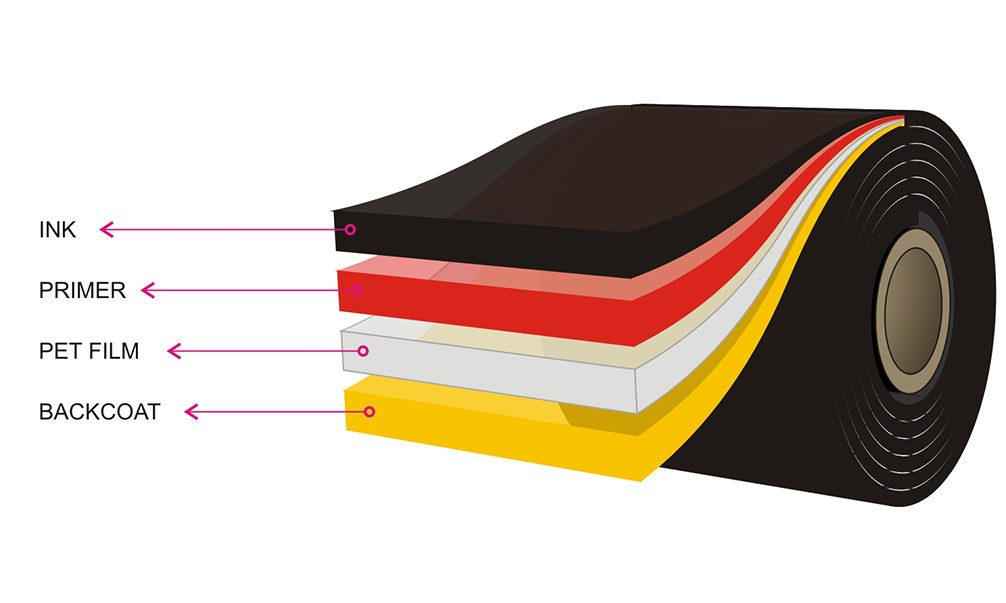
Ribbon ink
– Protective coating: usually smooth and with good heat conductivity, it is the main part of the ink layer that protects the print head from wear. Therefore, when buying ribbon ink, users should choose reputable ribbon brands to protect their print heads; don't be tempted by cheap prices and risk damaging your print head. Some of the most popular ribbon ink brands on the market today include:
- Toshiba Tec (Japan)
- Zebra (USA)
- Union (Japan)
- Ricoh (Japan)
- Dinic (Japan)
- ITV (USA)
- Armor (France)...
When using a barcode printer, you're bound to encounter some ribbon-related errors. However, not all errors can be fixed; it's crucial to use the right skills to resolve them. Below are instructions on how to troubleshoot ribbon errors on barcode printers to optimize your workflow.
A compilation of ribbon-related errors on barcode printers.
The ribbon ink used for barcode printing includes three types: wax ink, resin ink, and wax/resin ink. For these three barcode printing methods, different types of paper are used, in order: standard paper, PVC label paper, and silver foil paper.
When using colored ribbon ink to print barcodes, you should pay attention to choosing a barcode printer with thermal transfer printing capabilities. Many barcode printers on the market only offer direct thermal printing. In this case, the ink ribbon will be ineffective.
When using a barcode printer to print labels for business purposes, you may encounter some ribbon-related errors, specifically:
- Ribbon printing error
- The ink ribbon is wrinkled.
- The print is uneven, with smudged colors and white diagonal lines.
- The ink ribbon is torn or broken.
- The barcode after the ink has smudged.
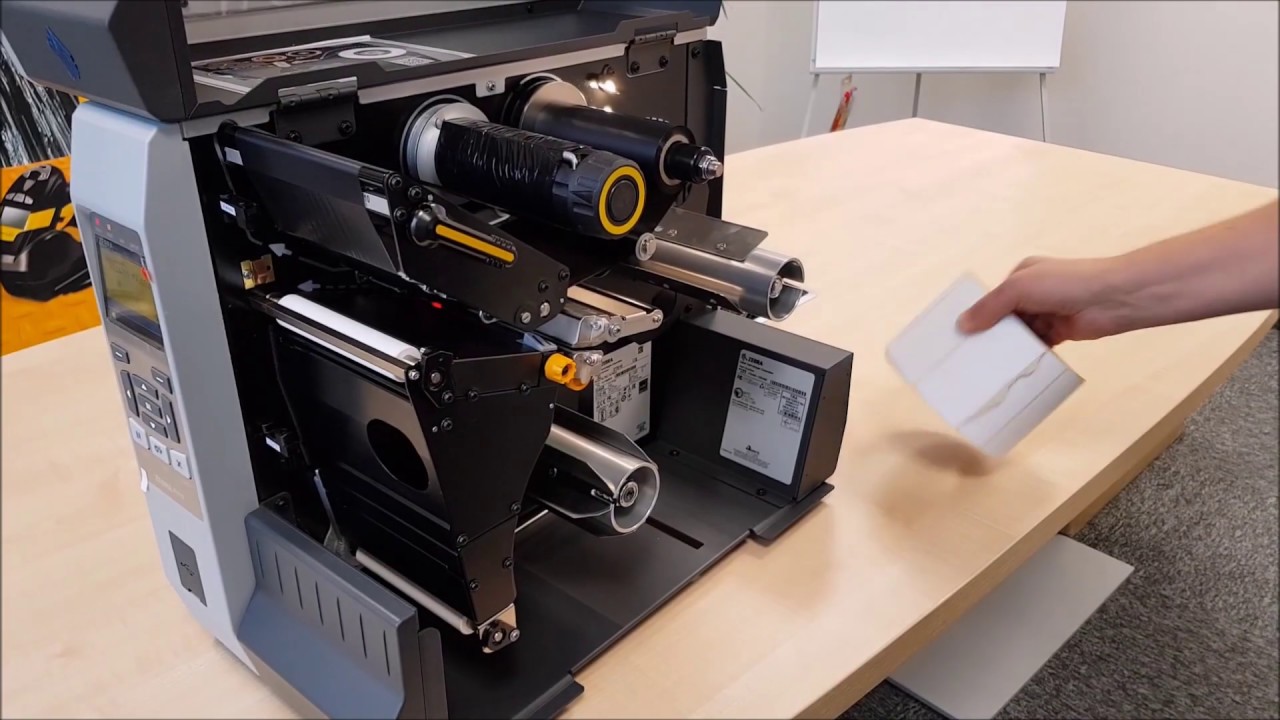
How to fix ink ribbon errors
Print ribbon error
This error commonly occurs with barcode printers, including both direct thermal and thermal transfer printers. If you are using a ribbon to print barcodes and the printer displays this error, you should check which printing method you are using. Please change the printing method from Direct Thermal Printing to Thermal Transfer (Indirect Thermal Printing).
The ink ribbon is wrinkled.
If this error occurs, you need to open the ink cartridge to check if it's properly installed and make repairs. Additionally, you should adjust the print head pressure to ensure proper contact with the ink ribbon. You can also tighten the belt to keep the ink in place, as overlapping is a major cause of ink wrinkling.
The print is uneven, with smudged colors and white diagonal lines.
This situation can be caused by two different reasons. Therefore, consider each cause and solution below to determine the appropriate course of action.
– If there is too much dust on the barcode paper or ink, you can wipe it clean or stop using the paper and ink roll and replace them with new paper or ink rolls.
– If the barcode print head is dirty, you should wipe it in one direction with a cotton swab dipped in alcohol to prevent dust from sticking to the cotton and scratching the print head.
The ink ribbon is torn or damaged.
The ink ribbon can tear or split because it moves slower than the barcode printing paper, causing ink to accumulate. To fix this, you need to adjust the ribbon tension using the adjustment knobs on the printer; this will resolve the issue.
The barcode is blurry after printing.
The print speed is set to high, but the ink you're using and the print head configuration need to heat up slowly, causing inconsistencies and resulting in blurry or even broken barcodes after printing. Therefore, the best solution is to adjust the print speed and print head temperature to match the type of paper and ink you are using.
For more details about our products and services!
Please call the hotline or click the register button.


Share:


