


WHY IS A QUALITY CONTROL PROCESS NECESSARY IN FLEXO PRINTING?
Good color management and reliable print control processes are essential for achieving predictable, repeatable colors on a flexo printing press. Without proper processes, achieving accurate color reproduction is purely a matter of luck. While it may take some effort to set up control processes in flexo printing , it's well worth it. Your clients will be more satisfied, and you'll save time and money thanks to faster setup times and fewer print jobs. Today, let's look at what's involved in setting up flexo printing control processes!
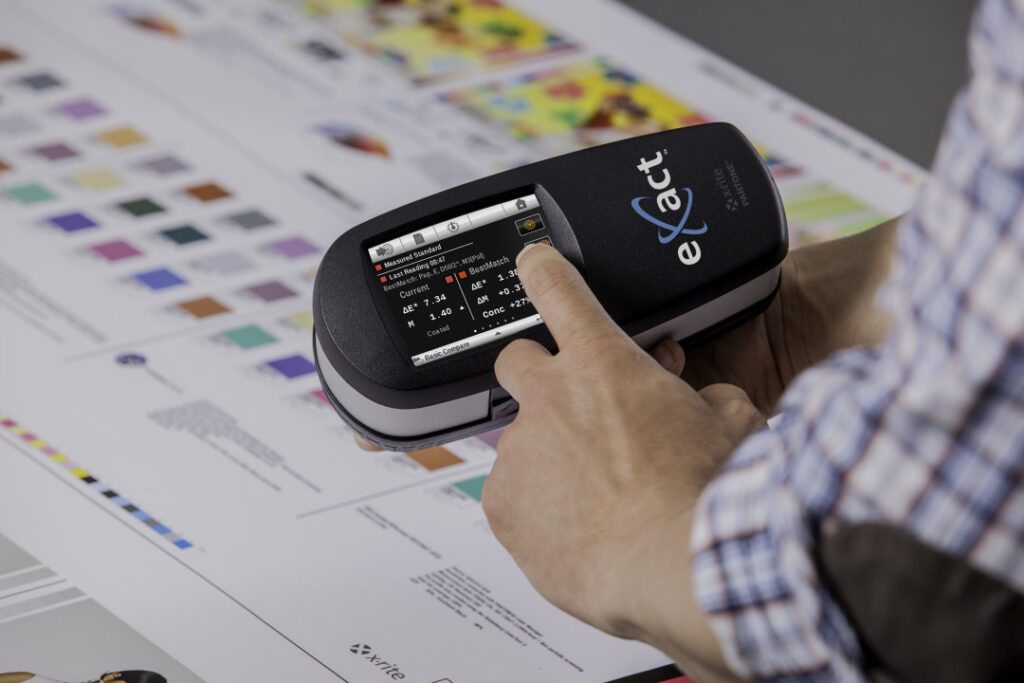
1. Set up a color management system.
If your proof print is not properly calibrated, if the printing plates you're using aren't adjusted, and if you're running your print job without a proper colorimeter, there's no way to know if the colors you're printing are accurate. A color management system will ensure that your equipment is capable of accurately reproducing colors in each print job and maintaining consistency from one print job to the next.
2. Invest in accurate colorimeters.
You cannot rely on the naked eye to judge colors. The human eye's perception of color can depend on individual perception, emotions, etc., and can be easily deceived. Colorimeters do not have these limitations. In the flexographic printing process, spectrophotometers can be used to check and compare the quality of the printed output against the proof print, and also help the proof print simulate the colors of the real print.
3. Consult ISO standards
The International Organization for Standardization provides ISO 12647-6 as a set of standards for printing. ISO 12647-6 is specific to Flexo printing. Instead of just defining ink density parameters, this standard considers actual color values. Printers can set optimal L*a*b* targets for each given substrate material.
Here are some sources you can refer to:
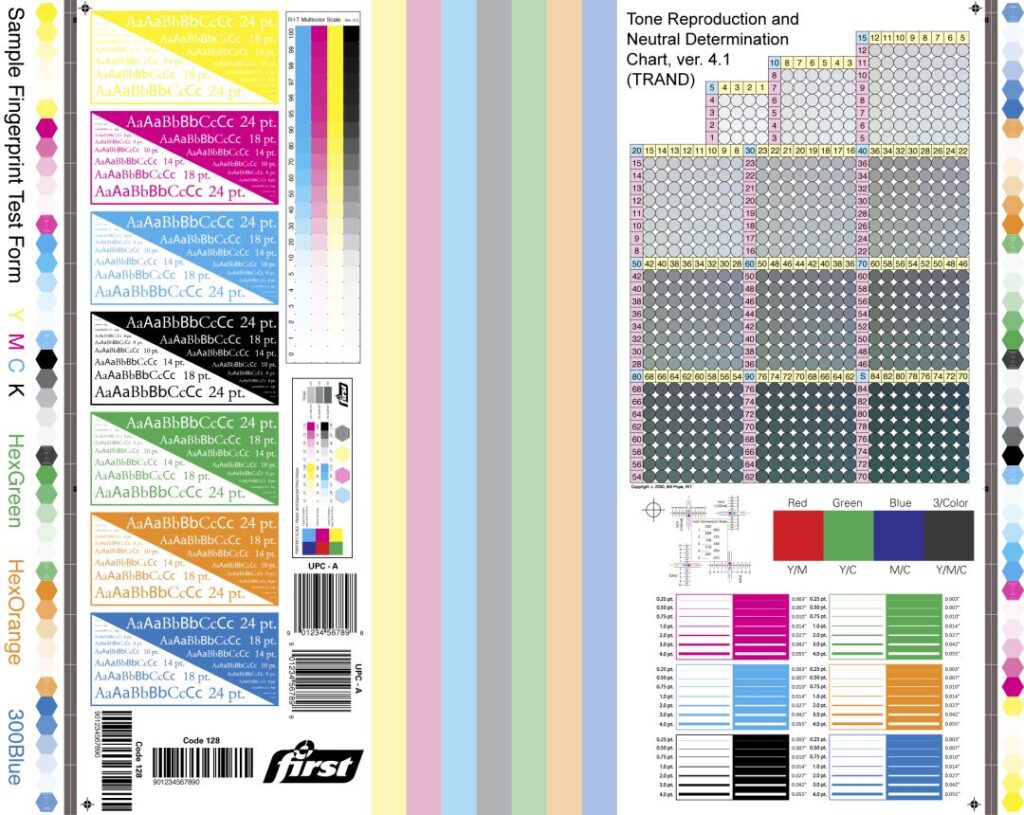
- The FTA (Flexo Technical Association) has developed a technical manual called FIRST, which includes general guidelines for producing quality prints based on ISO 12647-6.
- The EFIA (European Flexographic Industry Association) also provides guidelines and manuals on flexographic printing practices.
4. Set production targets
Process control begins with establishing desired goals, and then we adjust the process to achieve them. In production, in addition to the color value of the ink and the L*a*b* value of the substrate material, production goals must include the L*a*b* values of individual inks, color stacks, and TVI tonal gain. These parameters can be derived from previously printed target values or from target values calculated from your printer. Most importantly, the standard target values generated in production are correct according to the conditions of the printer you are running.

5. Establish goals and tolerances.
The first thing to do is to optimize the running printer. Optimization involves setting the best resolution, anilox roller, ink strength, print type, tape, and other machine settings for that particular material and print job.
Next, the printing press must be inspected and its current printing conditions recorded to establish target values that will be used when measuring the color control range in production. The color swatches to be measured include: individual colors, mixed colors used in the print, grayscale swatches, color overlay swatches, and tonal swatches. Additionally, there are several test swatches for texture, intensity, opacity, color overlap, and other visual assessments of print quality. The measured parameters of the color swatches will be recorded as production targets.
The measurement of color swatches during the printing condition recording process will be used to calculate the predicted variation in production. If this variation exceeds the specified production tolerance, the production standards or printing machine conditions must be adjusted.
New targets and tolerances can be used in subsequent machine runs. When measurements during machine preparation or output printing fall outside the allowed tolerances, you'll know something is wrong and needs to be investigated. The sooner errors are detected and addressed, the lower the production costs will be.
6. Ensure that proof prints are included in your workflow.
A good proof print demonstrates what the printer is capable of. It can be used for customer confirmation of the print job and also tells the printer how to achieve the desired result. Proof prints can come from various sources, in some cases even being generated outside the printing facility. If you are running a custom printer, you will need to provide your own measurement data or ICC Profiles to support the proof print.
7. Evaluate the proof print under standard lighting conditions.
Incorrect lighting conditions can alter how you perceive the colors of a printed document. In fact, poor lighting can change the colors of a proof printout differently than the actual printout. If the printer examines the proof and the final printout under incorrect lighting conditions and adjusts based on visual observation rather than colorimeter, the colors will be inaccurate.
Always consider the lighting conditions of the printed product according to ISO standards. In addition to daylight conditions (D50), you may also need to view the product under other lighting conditions simulating a store, indoor lighting, etc., to ensure that different parts of the packaging, such as labels and boxes, will look consistent both on the shelves and in the customer's home.
8. Monitor printer operation.
Colorimetric charts are the most important tool for evaluating printer performance. They must have cells representing ink color, color overlap, tonal gain, and gray balance. You must measure these cells, comparing them to standards and tolerances.
Sometimes those standards are defined by ISO, other times the printing conditions will be different, requiring you to do a test print and define the "machine standards".
9. Consider using the G7.
G7 adheres to the ISO 10128 standard, focusing on neutrality calibration. It is widely used in North America and has gained acceptance worldwide. G7 can help you achieve consistent grayscale levels across various printing processes and applications. The core idea behind G7 is a method that uses the curves of the printing plate to determine neutral gray balance from the bright to the bright areas. To achieve grayscale balance, each color has its own curve for the printing plate and its own TVI (Tranquilizer Imagery).
10. Develop SOPs (Standard Operating Procedures)
Once you understand these issues, you need to document everything and communicate it to everyone involved in the workflow. Standard operating procedures (SOPs) provide a roadmap, a way to handle problems, and make training new employees much easier. When SOPs are developed and implemented correctly, they also ensure that everyone in the organization operates in the same way, regardless of shift or position.
Take Control of Your Colors!
ISO has established industry standards, and each region has developed its own specifications and best practices for achieving them. To produce repeatable, accurate colors on your flexo printing press, you must run your system to meet these specifications and standards, using proof prints that simulate the same printing conditions and evaluating the print job under proper lighting conditions.
Here are some color management solutions we recommend for our clients:
X-Rite Exact Colorimeter
Spectrophotometric colorimeters combine industry standards into a simple, user-friendly interface to deliver a solution for color measurement, color management, and color communication throughout the color workflow.
Equipment calibration software – Net Profiler
This is a cloud-based solution comprising software and color standards for testing and calibrating colorimeters, minimizing errors between different colorimeters in a system.
Spectralight Color Viewing Cabinet – QC
Standard color inspection cabinets are chosen for evaluating the color of printed products under various standard lighting conditions. With a minor upgrade, you can evaluate products under the increasingly popular LED lighting conditions.
Share:


